

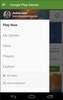



Google Play Games is an official Google app that serves as a meeting place for anyone who likes playing games on Android. From the app, you can discover new games, take a look at your latest achievements, and contact your Google friends. You can even play a handful of traditional games, such as Minesweeper or Solitaire, directly from the app itself, without any additional downloads.
Create your Google Play Games account
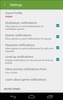
You'll need a user account before you can use Google Play Games. Usually, if you already have a Google account, all you have to do is download the app and link your account. And that's it. Your account will be all set up in under five seconds. If you get an error message during this process, it's a good idea to try a new email account. From your user profile, you can also change your account name, which, by default, will be the same as your Google one.
Hide the games you don't want to see
A little-known feature of Google Play Games is that it allows you to hide games. To do this, all you have to do is tap on the three dots in the upper-right corner of the screen and then on "Hide game". As soon as you do this, that game will no longer appear in the app. This feature can be particularly useful for parents, as they will be able to easily hide any games they don't want their children to play.
Loads of online games to play
Not only will Google Play Games make it easy for you to discover new Android games to download, but it will also allow you to play many different titles online. From the app itself, you can play classics such as Snake, Carrom, Minesweeper, Pac-Man, Color Pixel Art, Freekick Football, or Gin Rummy, among many others. In total, there are more than 100 video games of all possible genres for you to play easily, without needing to download them.
Manage your achievements and friends
A very fun part of Google Play Games is that it lets you view all the achievements you have unlocked playing Android video games. You can see exactly which day you unlocked each achievement and how common it is among the players of that game. You can also send friend requests to other users and create a custom link so that others can easily send you friend requests. This way, you can compete against your friends in any game that features online leaderboards.
Google's video game community
Download the Google Play Games APK and discover one of the largest online gaming communities in the world. From this app, not only can you discover and download thousands of free games, but you can also play them straightaway online, without having to download them. Keep in mind, however, that the app doesn't work properly if you're offline, so a good Internet connection is highly recommended to use it.
Requirements (Latest version)
- Android 10 or higher required
Comments
The games are really cool.
After the update, the app is very bad; it freezes and doesn’t load the other settings.
It has been very useful for me to save the progress of my games over the years.
Great, 10/10, 100% awesome memory game.
Very good app
Thanks to this app I was able to play ARK Mobile, I love it.